Recently I happened to look into an Exchange Server 2010 Management Console connectivity problem. Upon opening of Exchange 2010 Management Console on this server I was getting error “The following error occurred while attempting to connect to the specified Exchange Server “ExchCASHUB1.Domain.Com”.
The error message also includes further explanation that “The attempt to connect to http://ExchCASHUB1.Domain.Com/PowerShell using “Kerberos” authentication failed: Connecting to remote server failed with the following message: Log on failure: unknown user name or bad password.
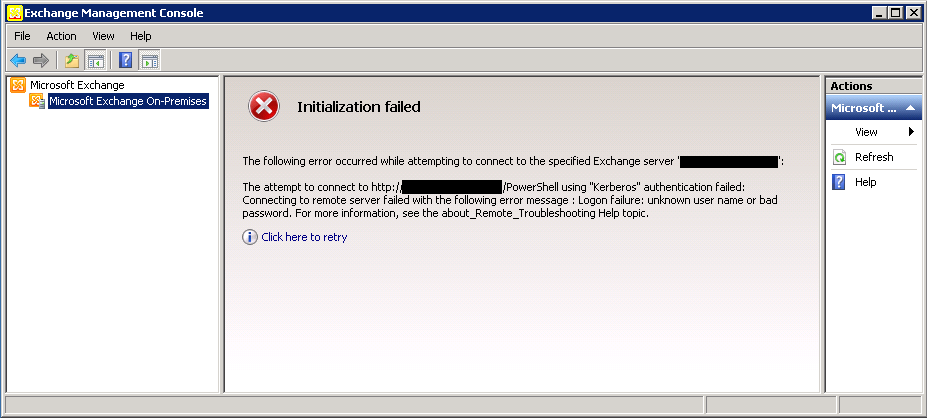
After reading this last phrase about unknown user name or bad password, an idea clicked in my mind that lets check the local users accounts in the control panel for any saved password.
Solution:
When I opened the User Accounts tab within Control Panel, and clicked on “Manage your credentials”.
I found that within Windows Credentials there was an account with the user name and password saved. I removed this saved credential from this server by clicking on “Remove from vault”.
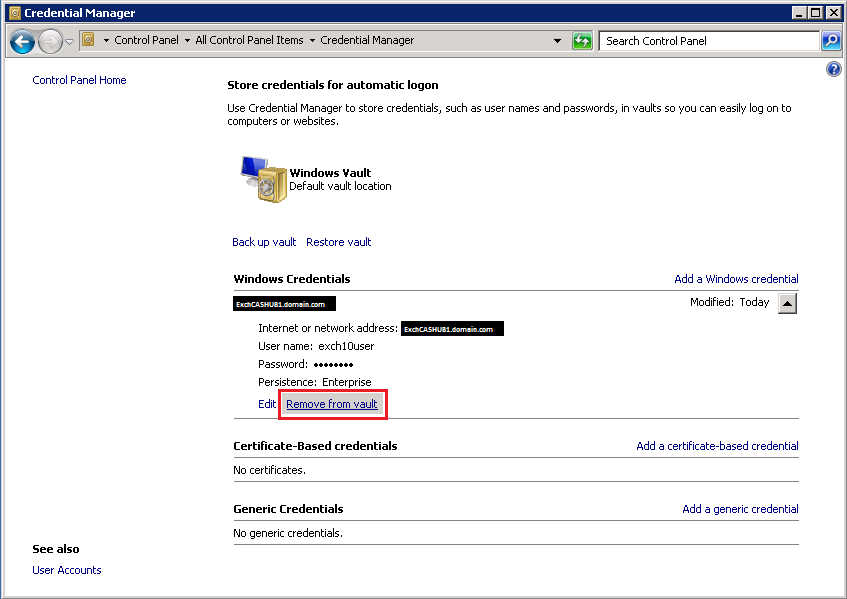
After removing this saved credential when I opened the Exchange Management Console on the same server, I could successfully connect to the PowerShell directory and my Exchange Management Console got connected. :) So actually what was happening in the background that Exchange Management Console was trying to use this saved credential to connect to PowerShell directory and since this account password is no longer valid so that’s why it was failing to authenticate.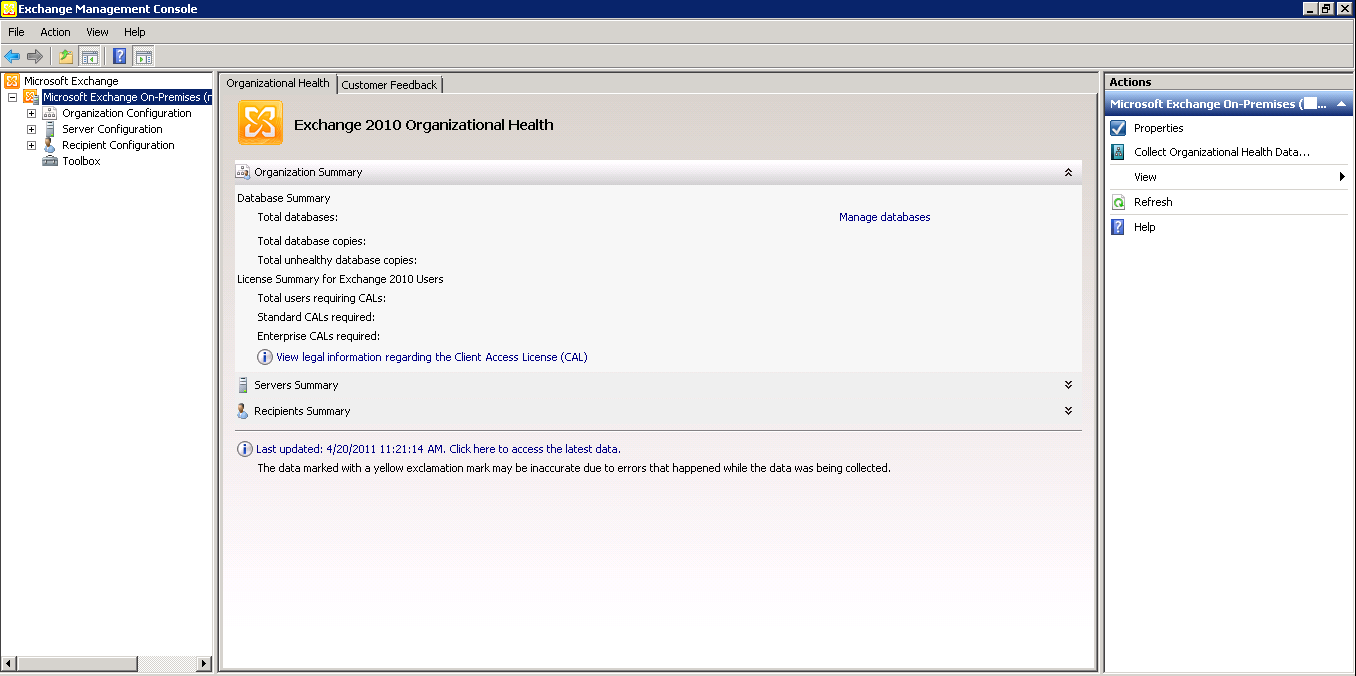
Cheers!
 Azure Hybrid & Cloud Migration Blog
Leave a comment