Integrating different System Center 2012 components together to provide one service like Private Cloud is huge fun. I happened recently to configure on Private Cloud setup where we integrated following listed System Center 2012 components:
- Windows Server 2012 Hyper-V
- System Center 2012 SP1 – Operations Manager
- System Center 2012 SP1 – Service Manager
- System Center 2012 SP1 – Virtual Machine Manager
- System Center 2012 SP1 – Orchestrator (Run Books)
- System Center 2012 SP1 – App Controller (VM Management for different internal cloud owners – IT Teams)
In this blog post I won’t be able to provide all steps for starting till end, but this post will give you a heads-up that from where you need to start and reach to provide an internal Microsoft based Private Cloud service for your internal customer (IT Department).
So here we go, first we will ensure that all the above listed products are installed and setup with their basic configuration means like installing agent on the relevant systems. Then we will go ahead and start creating the request offering and service offering within Service Manager to provide self-service based portal experience to our end-users.
System Center Service Manager:
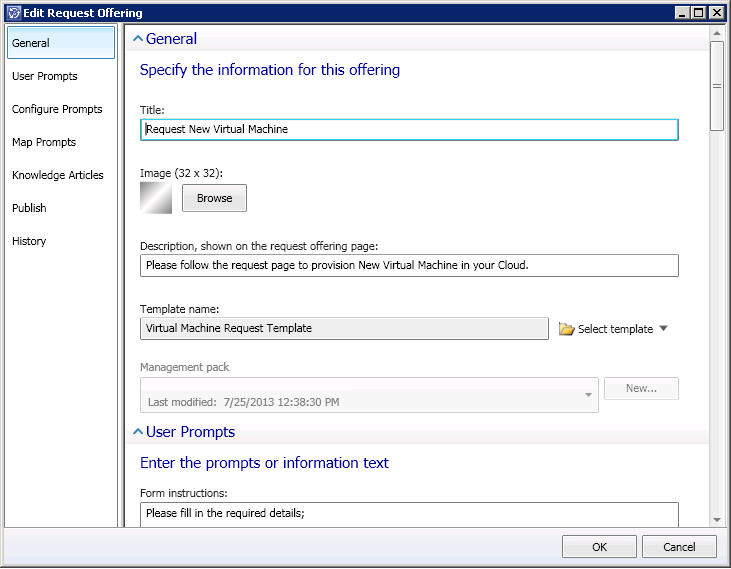
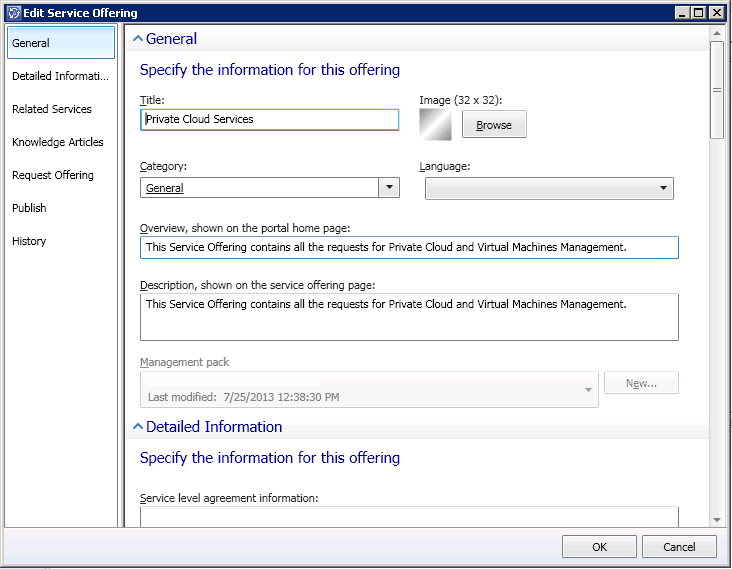
In this request offering and service offering our main goal is to create new cloud based VMs with the consent approval from the IT Manager or IT section heads, which is common among all organization that VM growth should always be in the right and to use the computing resources wherever it is needed.
Below image will provide you a basic idea of the steps by first creating request offering and then creating the service offering:
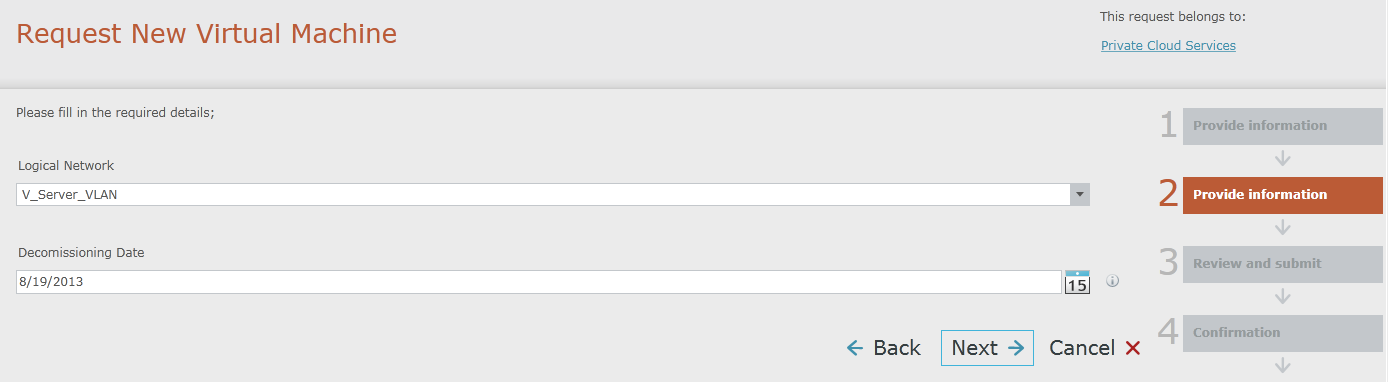
Service Manager Portal (Look and Feel):
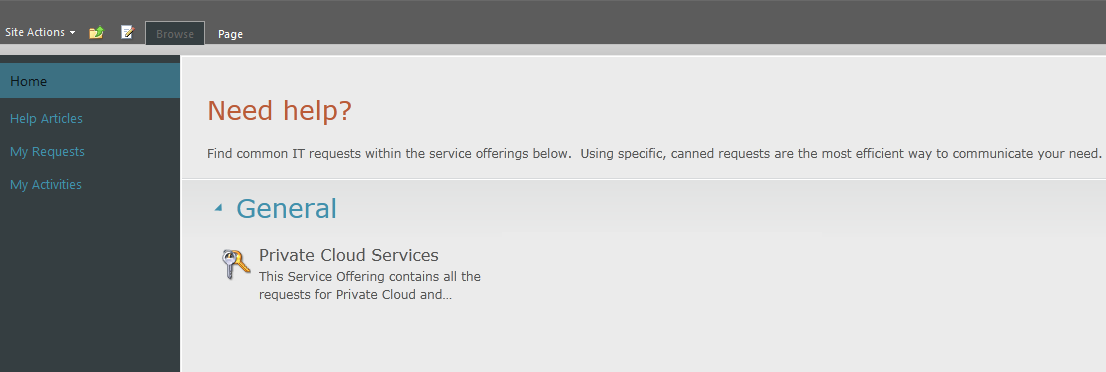
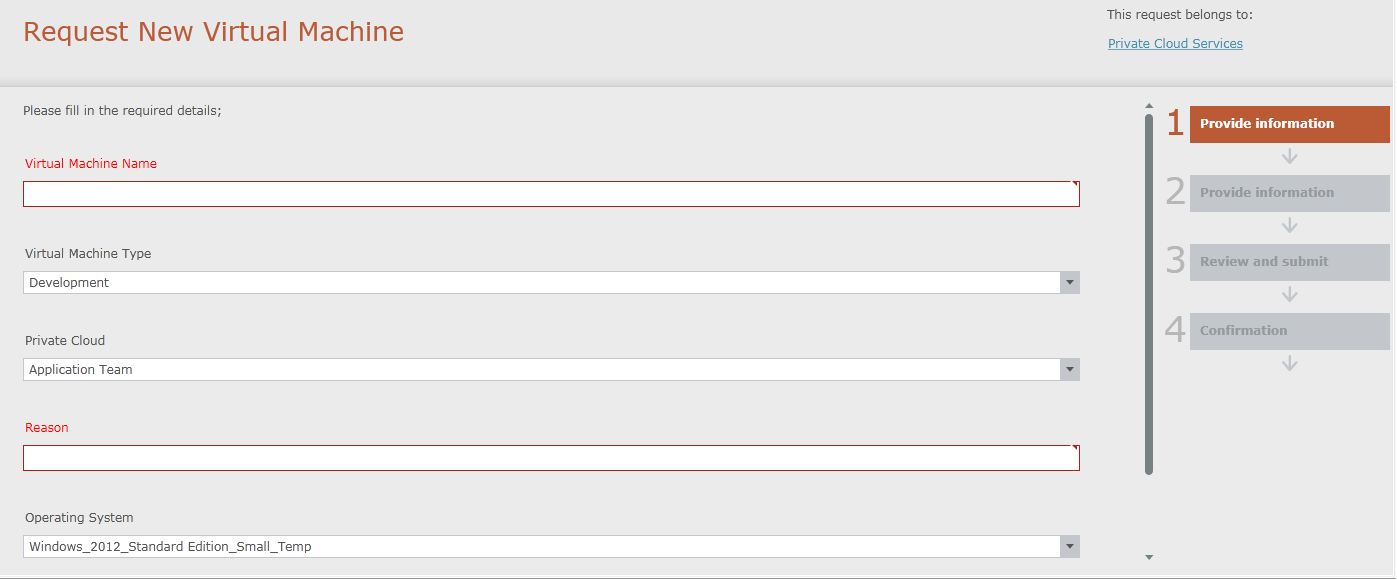
Based on your settings and VM creation criteria your Service Manager portal may look different. As per the configuration we did our Service Manager portal would look like the below screenshots.
System Center Orchestrator:
In this second step of the solution building, we will create Orchestrator run books for Virtual Machine provisioning in the Cloud. The run book would look like the below image:
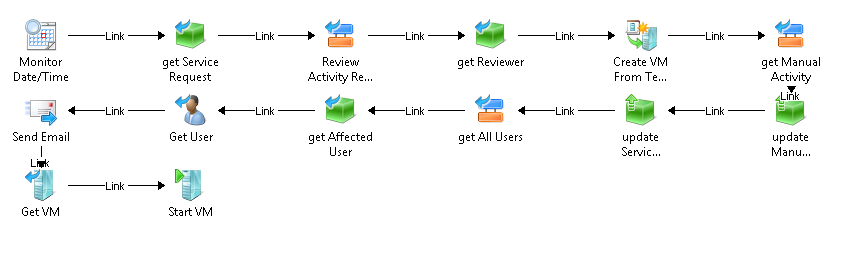
This VM provisioning run book words in the following order:
- Get the APPROVED pending request from Service Manager for VM provisioning
- Create VM for the requested VM template and cloud settings
- Start the VM
- Send E-mail to the recipients for VM creation
- Update the service status in the service manager
Because in this service request we are taking the VM decommissioning date from the creator so we also have another Orchestrator run-book which decommission the VM on the specified date and time:
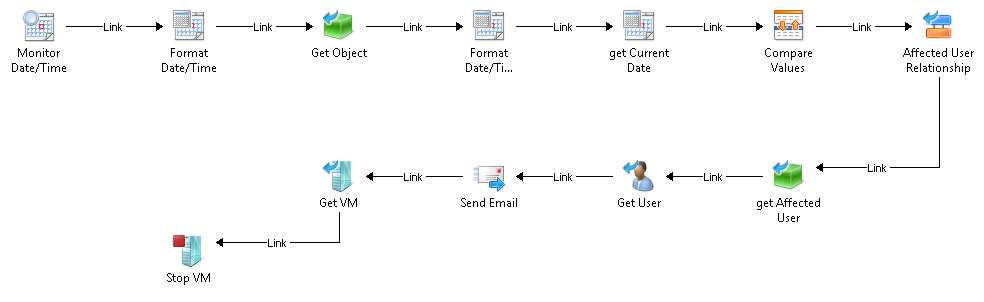
This VM decommissioning run book words in the following order:
- Get date and time and compare with the values provided as the VM decommissioning date
- Notify the VM requestor about the VM decommissioning
- Stopped the VM (as we don’t want to delete the VM at this stage)
Once everything is setup and your VMs are now getting created using this work-flow then you can give relevant cloud access to the concerned cloud owners. And then these cloud owners can manage their VMs using System Center App Controller for VM console access, stopping, starting and bala bala stuff.
I hope you people like it as it gives brief overview of joining different points together for a better world with less problems around. Cheers!
 Azure Hybrid & Cloud Migration Blog