At times building reports for your Exchange mailbox users and server side settings become as hard task, especially for new Exchange Server administrators because by default Exchange Server doesn’t contain GUI management area from where the administrator can easily create these type of reports. Good News! Today I’m going to share a great tool which can help you to generate these basic Exchange reports with a few clicks and you are all good.
Exchange Reports is a tool which is currently in beta stage and developed by Gokhan Ozdamar and Serkan Varoglu. The Exchange Reports tool can be used to generate reports for Exchange 2007, 2010, 2013 and even Office 365 implementations. Exchange Reports is a PowerShell based tool which doesn’t need to be installed on either the Exchange Server itself or any other server/computer from where you are trying to run the tool. All you need is to download the binaries of the tool and run it even on your desktop Windows 7/8 computer, and connect the tool remotely to the Exchange Server. As part of prerequisites the account which you use to connect to your Exchange Server environment should have required privileges on Exchange for generating the report and collecting the data.
By using this tool we can generate the following list of reports for your Exchange Server 2007/2010/2013 and Office365 messaging infrastructure:
- Group Reports
- Single Group Information
- Mailbox Report
- Single Mailbox Information
- Messaging Tracking
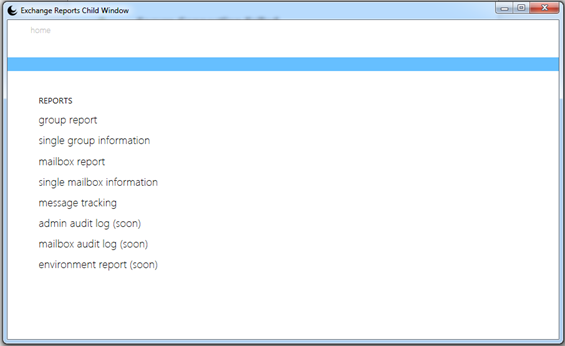
Read more about Exchange Report
I hope you would like this tool for generating reports for your Exchange Server, and I would strongly suggest you to provide feedback about this tool here.
Cheers!
 Azure Hybrid & Cloud Migration Blog
Leave a comment